Record Your Monthly Costs
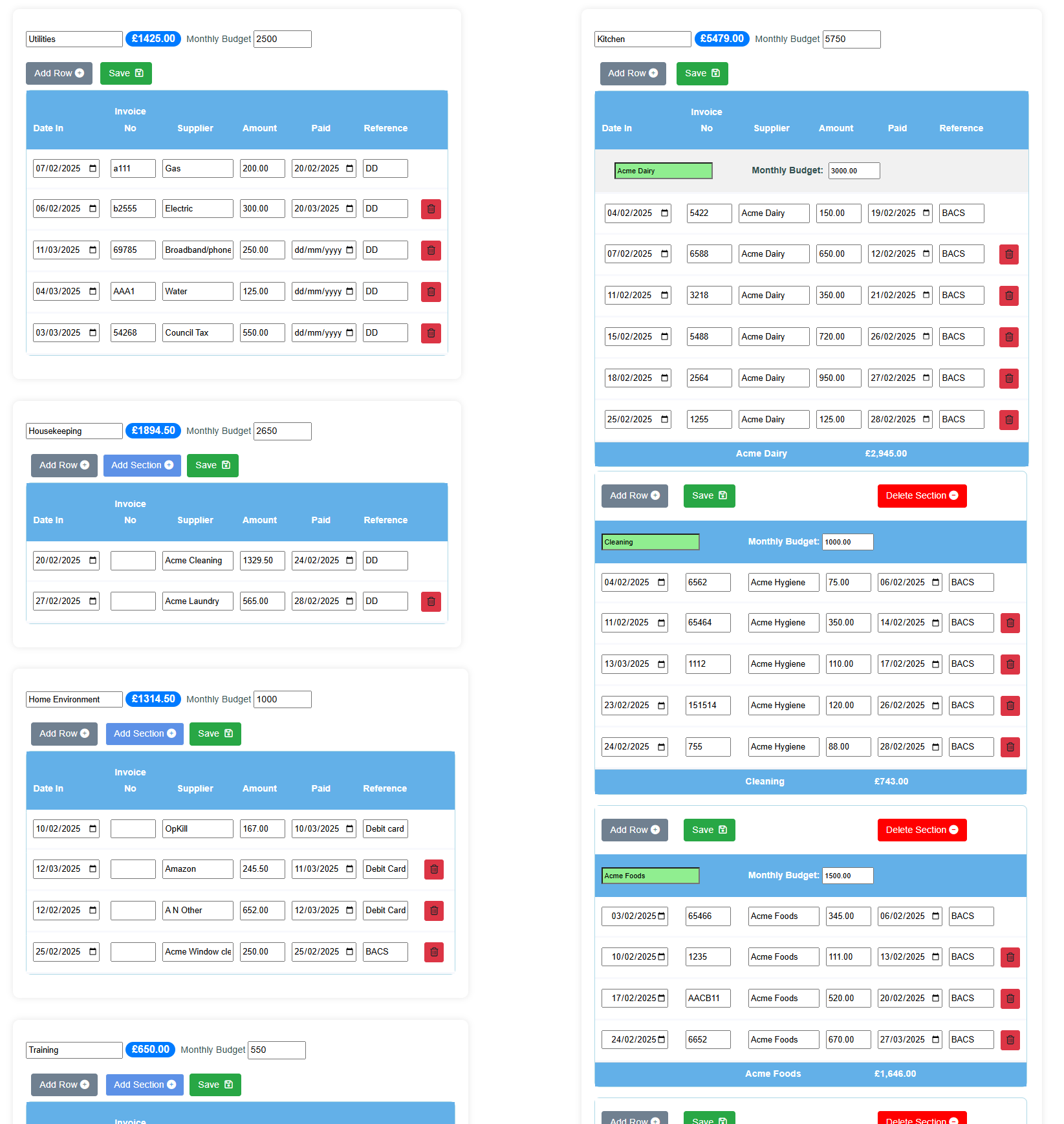
The Care Running Cost Calculator gives you the freedom to record and monitor your costs as best suits your business.
Record all your spend and set your monthly budgets.
All the tables you need are there and you can add as many lines in the table as you need.
There are 12 sets of tables covering the fiscal year.
Once you have entered your costs the Running Cost Calculator will present all the data you need to stay in control of your care business.

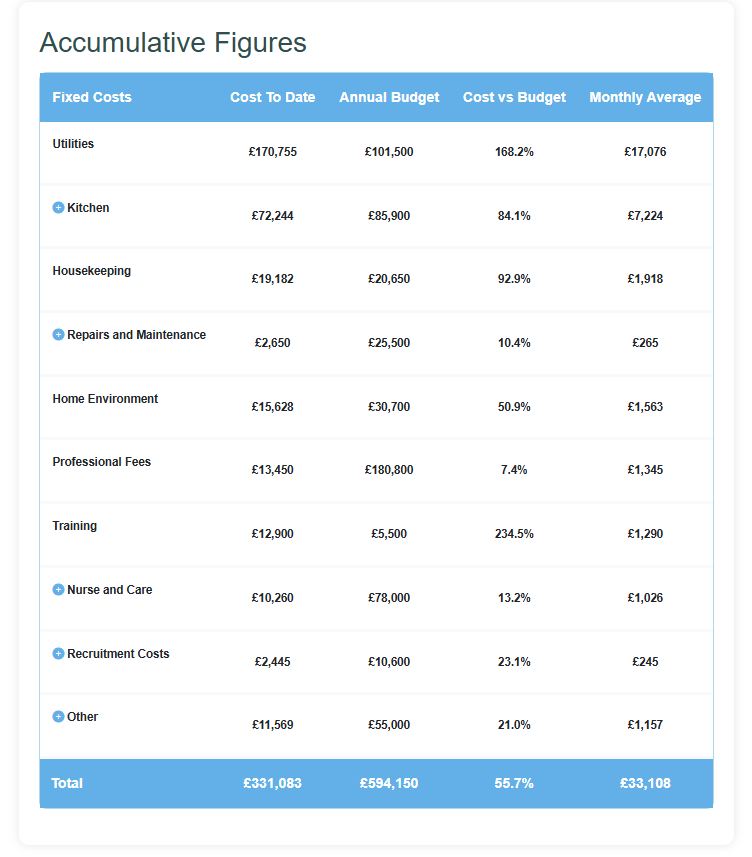
Accumulative Summary Table
This table shows you a year-to-date summary of your spend and annual budget and compares your the spend to date with that budget. This will give you an idea of how likely you are to exceed that budget in the coming months or if you actually already exceeded it.
This summary table also shows your average monthly spend for each area and again you can open up areas with subsections.
The total average monthly costs will help you set your minimum breakeven point for your bed fees.
Annual Summary Table
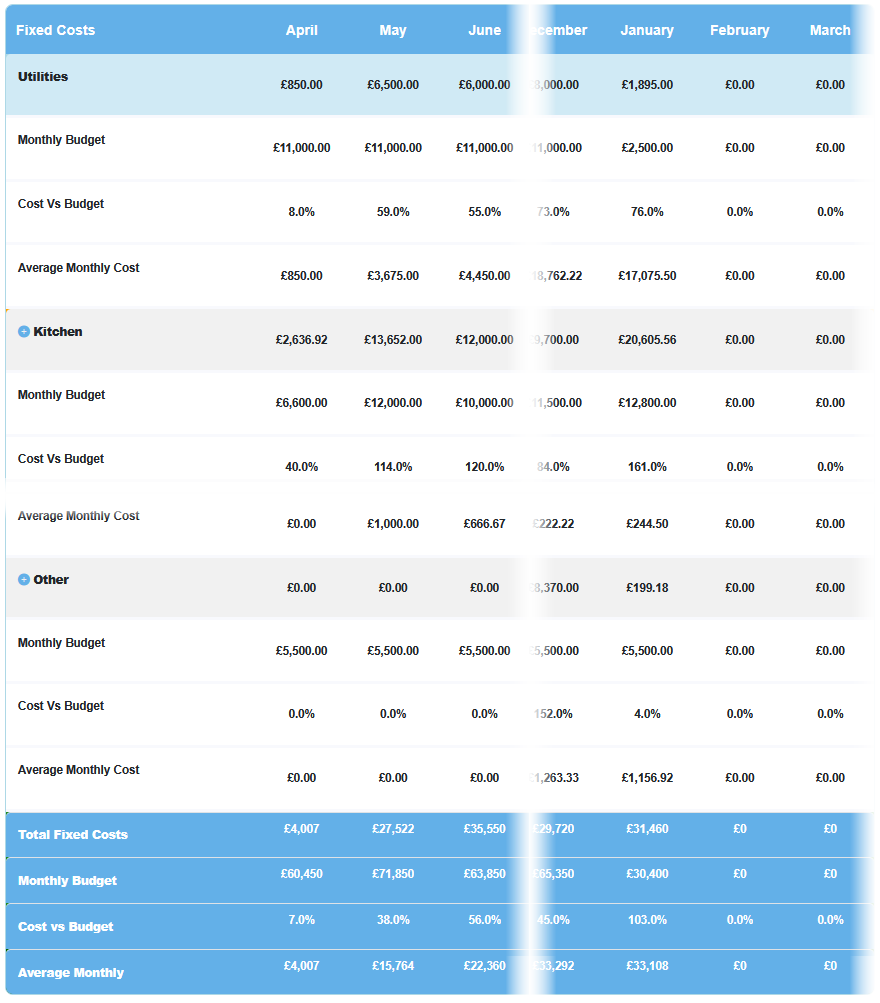
The Running Cost Calculator's annual Summary table for fixed and staff costs shows a summary of your spend for each month across the entire year.
If you have created sub-sections in tables you can open up those sub-sections in this summary table and see cost, budgets and cost versus budget.
So, in this case, if 'Kitchen' looks like a higher than usual spend you can see which subsection is causing that increased spend.
See your total fixed and staff monthly costs and as the months progress the tool calculates an accurate monthly average cost for both.

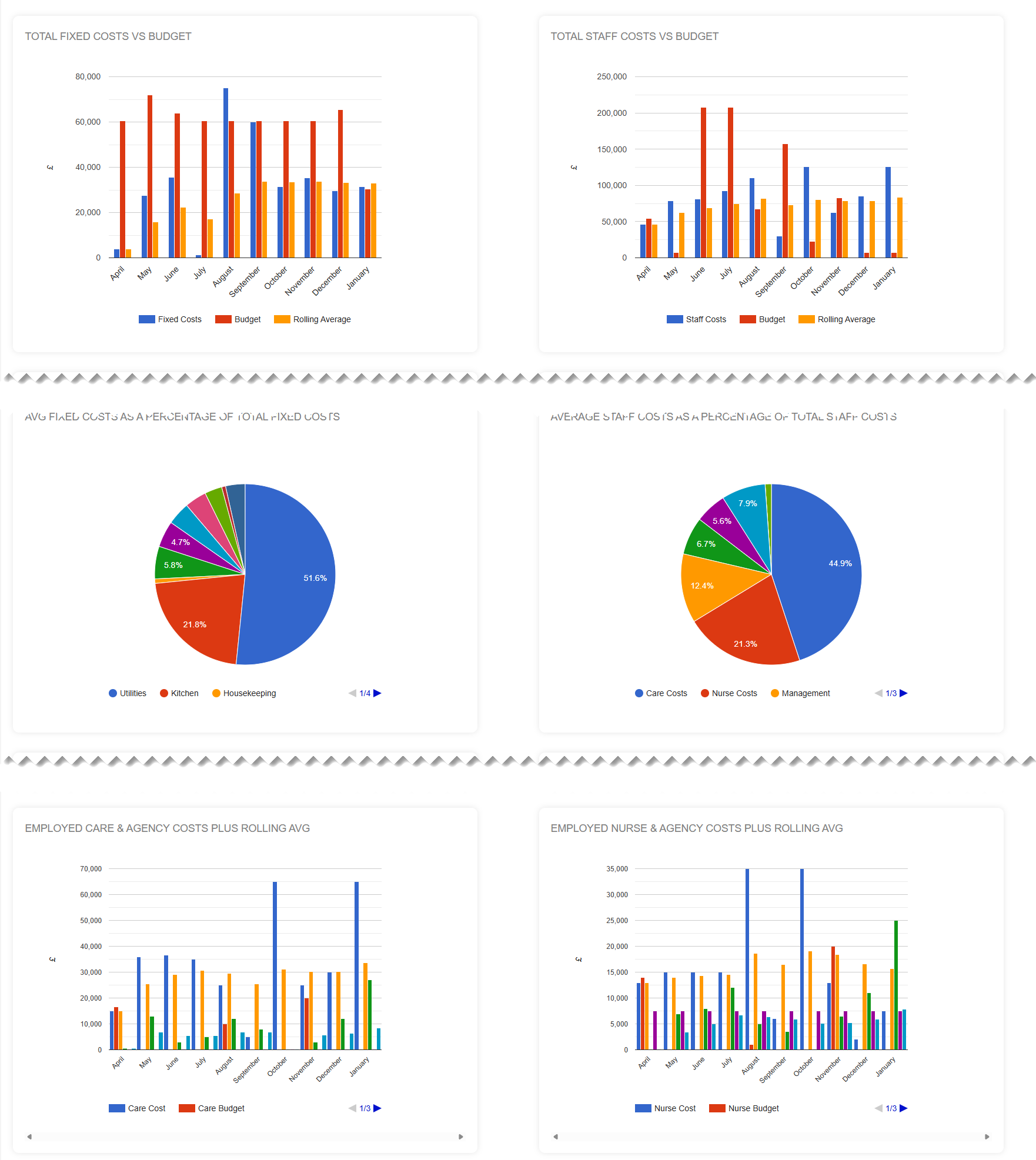
If you prefer a more visual outlook and easier to see results at a glance then the tool also gives you charts.
Charts, Charts and More Charts
If pictures are your thing then all that you see in the tables are shown in charts.
Whether it's a big picture, 30,000 foot view you want or the finer department details, there's nothing quite like a picture to give you an instant view of what's going on.
See how your spend is trending compared to your budgets and instantly spot where you are overspending.
Aaaah… pictures - don't you just love them?

Dashboard
The Dashboard is a powerful feature designed to provide a clear, real-time overview of your care business's costs and budgets for the fiscal year to date.
With an accurate, data-rich interface, the dashboard enables you to track expenditures, compare them against set budgets, and identify areas with overspends.
The Multiple Users Feature Offers Enhanced Security
The Running Cost Calculator's multiple user feature is a valuable addition to the software, enhancing its functionality and usability.
With this feature, users can easily manage access to the tool by adding, editing, or deleting users as needed.
This capability not only streamlines user management but also ensures accountability by tracking who has accessed the software.
Whether you're collaborating with a team or administering the tool in your care setting, the multiple user feature offers the flexibility and control necessary for efficient and secure usage.

I want you to be sure that this tool is going to work for you. I want to eliminate any doubts that you may have by letting you try this tool for free.
If at anytime during this 30-day trial you decide that this tool isn't for you, simply let us know and we’ll make sure your payment isn’t taken.
You have nothing to lose and the potential to take control of the financial health of your care business.